Pixelate effect
Applies a pixelated effect, making display objects appear 'blocky'.
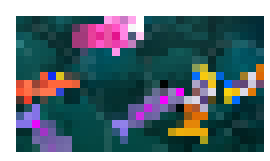
The size setting is the width and height (in pixels) of each block: larger values give a coarser, more pixelated look. Changing this value at runtime with events lets you animate the effect, for example to progressively pixelate the screen during a transition.
Note
For pixel-perfect or 8-bitgames, you can change the Scale mode options in your game properties instead of using this effect.
Note
This effect only works on 2D layers and objects.
Reference
All effects are listed in the effects reference page.